Google Photos is gearing up for a large feature upgrade that looks set to make a huge difference to its video editing capabilities as well as its storage capabilities, or lack thereof. With a freshened-up video editor and new selective backup option on the way, Google Photos is becoming more powerful, more intuitive, and simply more useful for anyone handling photos and videos on a device.
Having previously revamped its image editor, Google Photos is now setting its sights on video. The new video editor will follow Google’s Material 3 Expressive design language. This is a more than just a visual refresh, however, as it also makes the video timeline navigation experience a bit easier. UI features large sliders, rounded icons and cleaner layout to offer you a more comfortable editing experience.
Google Photos Video Editor: Features We Want and Expect to See from Google’s Media Editor in the Photos App
The refurbished Google Photos video editor has a couple of key new features:
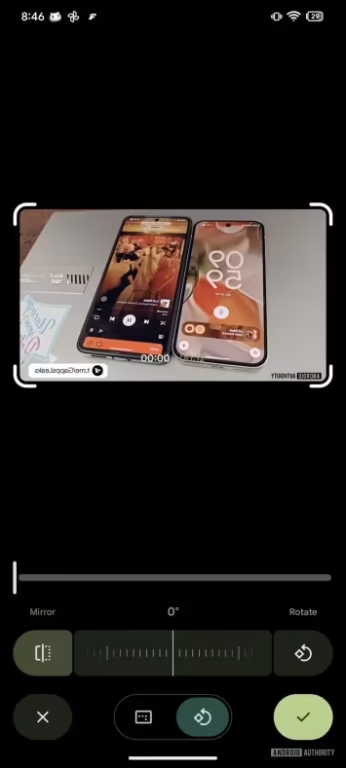
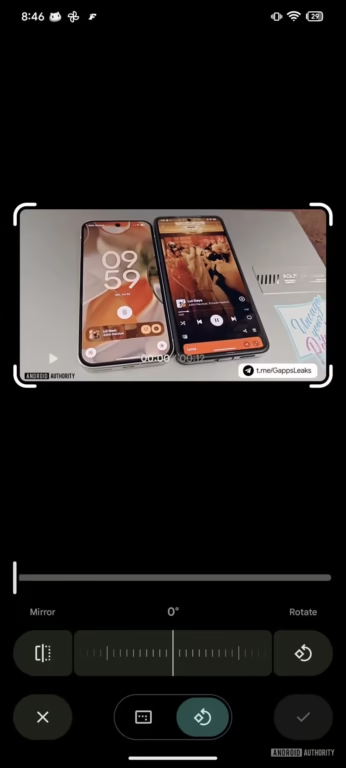
- Mirror button: Tap to flip your video. Great for correcting front-camera clips.
- Export Frame: Save a high-resolution still image from any frame in your video file, regardless of the original resolution of the source footage (including 4K or 8K video).
- Music Integration: The ability to add soundtracks of your preference is coming soon. Select from Google’s curated library (sorted by mood, like Bright, Chill, Dramatic), or with your own music files.
- Independent Volume Control:Tune background music and original audio independently to achieve exclusive auditory experience.
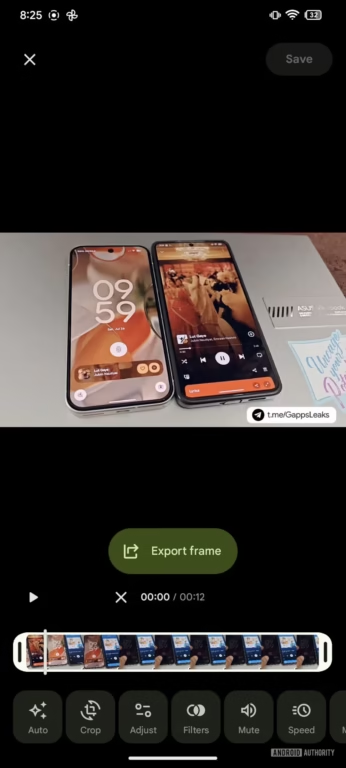
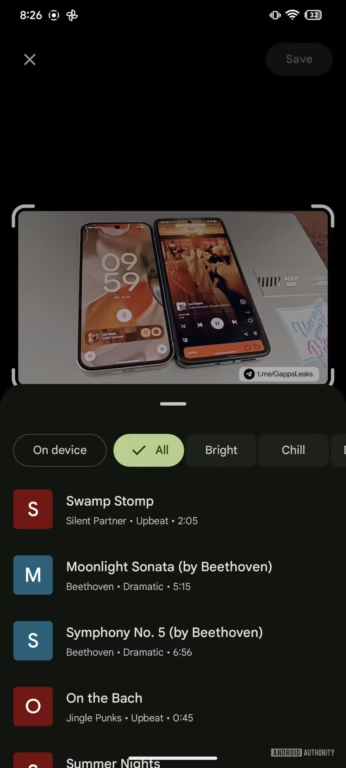
These additions bring Google Photos more in line with dedicated video editing apps, but while providing the convenience and ease of use we’re used to with Google’s core services.
Selective Backup in Google Photos
Apart from editing enhancements, Google Photos is also making progress on one of users’ most requested improvements: selective cloud backup.
Currently, when you turn on backup for Google Photos, it’s usually just saving everything up. But not every file is created equal, and those can eat into your storage — especially if you’re a Google One user with little space to spare.
Users will soon be able to selectively backup their content in the cloud, selecting “Favorite” photos and videos to store. This means you have greater control over what is and isn’t sent to the cloud, helping to conserve both storage and bandwidth.
Why These Changes Matter
This change will be a game-changer for those of us who depend on Google Photos for saving, organizing and editing media. Here’s why it matters:
Additional control: Whether it’s audio levels in videos or which files move to the cloud, Google Photos will add more user control soon.
Designed to store more, with less Typically, your iPhone will back up memes, screenshots and low-res videos; selective backup simply doesn’t do this.
Pro editing, simplified: From mirror effects to music layers, the new tools tailor your videos to look polished without having to use pro software.
What’s Next?
These Google Photos features are under development, and while Google hasn’t made any official announcements, the code here gives us a pretty good idea of what to expect — and of when to expect it. They’re not only a gallery and a batch transfer tool but a proper creative platform, when they’re at their best.